
I’m just a regular Wuthering Waves player, but I still remember the little buzz around the Support a Streamer program that landed right after launch. It was a Twitch collaboration, and the pitch was simple: watch the Wuthering Waves category, support a streamer with subscriptions, and earn an in-game reward. The campaign window was May 22 to June 22 (PT). Viewers needed to gift or buy 2 Twitch subscriptions of any tier to any streamer inside the Wuthering Waves category. Prime Subs were excluded. That last bit mattered. I saw plenty of players assume a Prime sub would slide through, and it did not.
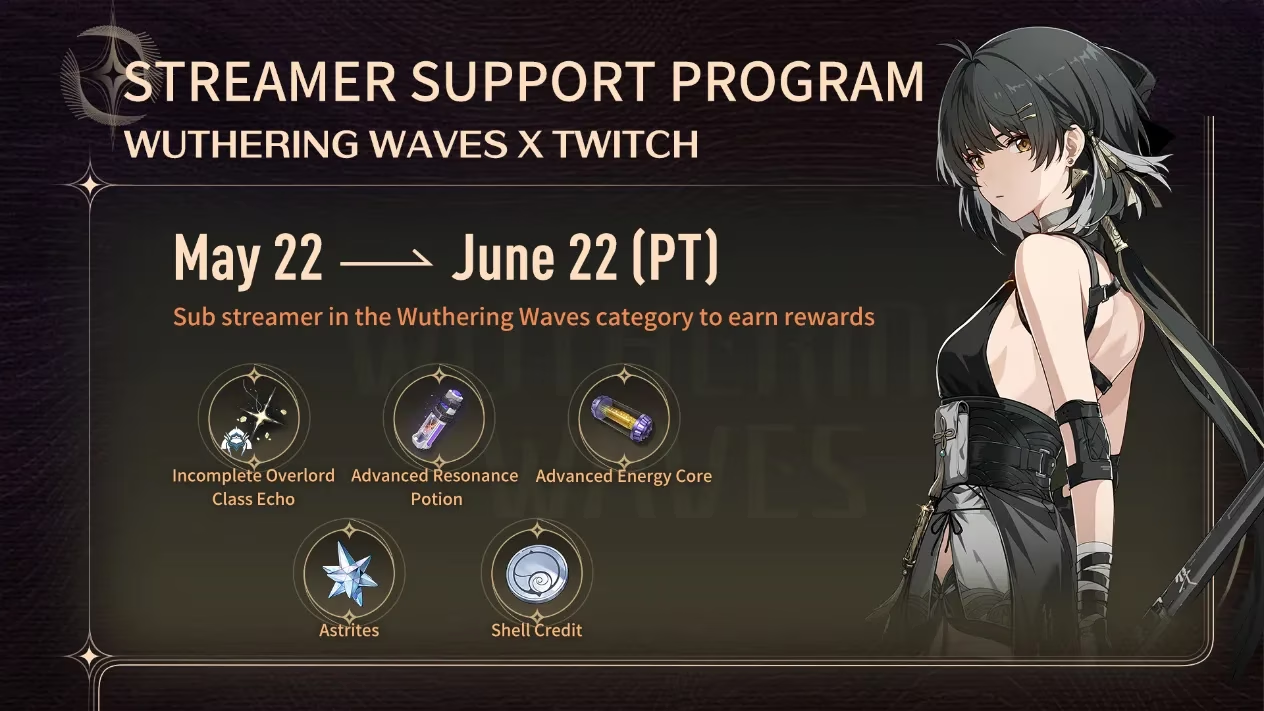
Here’s the thing I appreciate about this kind of event: it turns a quiet stream into a tiny community moment. You are not just buying a sub for a faceless platform; you are backing a streamer who is actively sitting in the Wuthering Waves category. But the rules were strict about that category. If the channel was not live under Wuthering Waves when the subscription landed, it did not count. Same for subs bought before May 22 or after June 22. Twitch campaigns are fussy like that—they have a calendar, and they stick to it.
The basics, as I understood them
| Item | Detail |
|---|---|
| Campaign | Support a Streamer |
| Platform | Twitch |
| Game category | Wuthering Waves |
| Dates | May 22 to June 22 (PT) |
| Requirement | Gift or buy 2 subscriptions of any tier |
| Excluded | Prime Subs |
| Reward delivery | Twitch notification inbox |
I liked that the requirement was “any tier.” It gave people room to choose. You did not have to chase the biggest sub on the page. You just had to complete the two-sub threshold inside the right category and window.
How subscriptions and rewards worked
To buy a subscription, you had to log into Twitch on a web browser or mobile device. Purchases worked on both. Gift subscriptions were part of the deal too. The important part was not how you paid; it was where and when the subscription happened. The streamer had to be live in the Wuthering Waves category during the campaign. If you subscribed while they were streaming something else, it was a no. If you subscribed before the start date, it was a no. Twitch’s promotion logic is not sentimental.
Once you earned the reward, the campaign redemption code went to your Twitch notification inbox. You could reach that inbox from the top navigation bar on Twitch, on the right side. The code stayed there until you manually deleted it. I kind of love that. Twitch’s inbox quietly holds onto those codes until you delete them—no nagging, no vanishing act. It just sits there like a patient little note.
Redeeming the code in game
The in-game steps were straightforward, but there was a small gate:
-
Select your server, enter the game, then go to Settings - Other - Redemption Code.
-
Enter the Redemption Code and hit Confirm.
-
Claim the rewards from your in-game mail.
-
The Redemption Code function unlocks at Union Level 2.
That little redemption-code field does not wake up until Union Level 2, so new players had to settle in first. No rushing that part.
The expiry is the big 2026 reality check
Here is where my player brain puts on the brakes. The code from this campaign expired on 2024/8/31 at 8:59 (PT). Since we are in 2026, that window is long gone. If you are reading this now and thinking about digging up an old code, do not count on it. Expired codes cannot be redeemed. This article is a look back at how the event worked, not a live invitation. The campaign itself ran in 2024, right after release, and it closed on June 22, 2024.
I still think the event is worth remembering because it shows how Wuthering Waves used Twitch culture early on. It was not a complicated scavenger hunt. It was a clear exchange: support a streamer in the right category, complete two subs, get a code, redeem it in game before the deadline. The tricky parts were all about timing and category. Miss either one, and the reward did not happen.
What I would tell a newer player
If a similar Support a Streamer event appears again, I would keep a few notes handy:
-
Check the exact start and end dates in PT.
-
Confirm the streamer is live in the Wuthering Waves category at the moment you subscribe.
-
Remember that Prime Subs are excluded unless the rules say otherwise.
-
Buy or gift the required number of subscriptions—two, in this case.
-
Look in the Twitch notification inbox for the code.
-
Redeem it in game under Settings - Other - Redemption Code.
-
Make sure you are at Union Level 2 before trying to redeem.
-
Treat the expiry date as a hard wall.
That is the whole loop. Simple on paper. A little fussy in practice. And honestly, that is why I remember it: it felt like a small community ritual wrapped in a calendar. For a player like me, the fun was in watching the category light up, helping a streamer, and then doing that tiny in-game dance to claim the reward. In 2026, the code is expired, but the memory of how it worked is still useful.
The following analysis references PC Gamer, whose reporting on live-service events and Twitch-linked promotions helps frame why a campaign like Wuthering Waves Support a Streamer felt both accessible and easy to miss: the core loop was simple, but category accuracy, campaign timing, and redemption deadlines were the real deciding factors for whether players actually received and used their reward.